
Surf with 4G/5G in Philippines. Delivered instantly by email after purchase.
Traveling to several countries?
With the Asien-Bundle you surf across several countries in your region. Cheaper than individual plans.
Download the app and manage everything on the go!
Keep an eye on your data, top up anytime and install your eSIM with a single tap. Free for iOS & Android.



eSIM for Philippines: activation in 3 steps
Activating your eSIM for Philippines takes just a few minutes and requires no SIM card swap at all. Right after purchase you receive an email with your personal eSIM details in the form of a QR code and an activation code or link, plus instructions. It's best to install the eSIM comfortably from home; you only activate mobile data after your arrival in Philippines.
How to activate the eSIM on iPhone (iOS)
- Open Settings → Cellular → Add eSIM.
- Select Use QR Code and scan the code from our email. Alternatively you can enter the activation details manually.
- Give the line a meaningful name, e.g. "BuddySIM Philippines", and finish the setup.
- in Philippines, activate BuddySIM under Cellular → Data Roaming and select it as the line for mobile data.
How to activate the eSIM on Android (Samsung, Pixel & Co.)
- Open Settings → Connections → SIM manager (on Google Pixel: Network & internet → SIMs).
- Tap Add eSIM and scan the QR code from our email.
- Confirm the download of the eSIM profile and wait until setup is complete.
- After your arrival in Philippines, enable data roaming and select BuddySIM for mobile data.
The exact menu labels may differ slightly depending on your smartphone model and operating system version. You'll find a detailed step-by-step guide by device in our eSIM activation guide.
No second device to scan?
Only have your smartphone and can't scan? No problem! We also send you a one-click installation link and activation details for manual activation of your eSIM.
Why a BuddySIM eSIM for Philippines?
Here's how BuddySIM for Philippines compares to other eSIM providers and the local SIM card on site: transparent, fast and with no hidden costs.
 |
Other eSIM providers | Local SIM card | |
|---|---|---|---|
| Buy online instantly | Available instantly | Usually possible | Only on site |
| Activation only on arrival | Activation in your destination – avoids using data before arrival | Depends on provider | Manual setup |
| Fixed GB plans | Full cost control | Depends on provider | Often confusing |
| Day Pass | Often unlimited with throttling | Depends on provider | |
| Share hotspot | Often limited | Depends on plan | |
| Multi-network coverage* | Multiple networks | Not always transparent | Usually one provider |
| No Net, No Pay guarantee | |||
| Personal support | Personal | Often bot only | On site/hotline |
| Roaming costs | €0,00Prepaid, no hidden costs | Mostly prepaid | Depends on plan |
| Flexible top-ups | Flexible anytime | Depends on provider | Often complicated |
| Stress factor | Very low | Medium | High |
*Multi-network coverage: where needed, several local networks are available so you get the best possible coverage. Your device automatically connects to the strongest available signal.
eSIM prices for Philippines
Compare all eSIM plans for Philippines at a glance, including duration, total price and price per GB. This way you transparently find the right data plan for your trip in Philippines, with no hidden costs and no contract.
| Plan | Validity | Price | Per GB |
|---|---|---|---|
| 1 GB | 7 days | €9,99 | €9,99/GB |
| 3 GB | 30 days | €24,99 | €8,33/GB |
| 5 GB | 30 days | €39,99 | €7,99/GB |
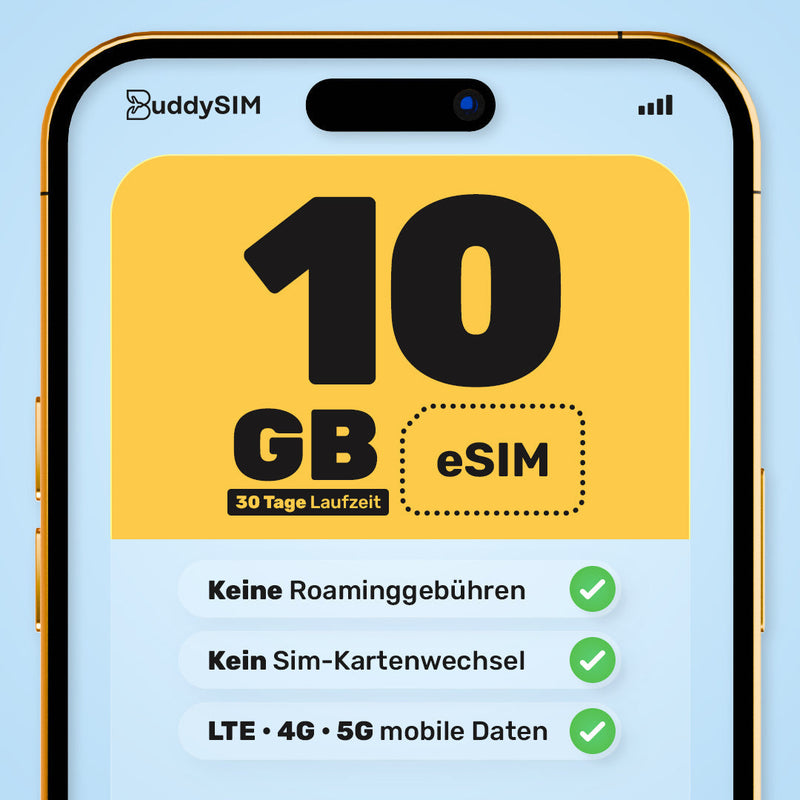
| 10 GB POPULAR | 30 days | €69,99 | €6,99/GB |
| 20 GB | 30 days | €124,99 | €6,24/GB |
| 50 GB | 30 days | €199,99 | €3,99/GB |
About the eSIM for Philippines
eSIM Philippines: Unlimited Data for Tourists
Our eSIM Philippines Data Plans
Choose your fixed data plan for the Philippines by GB and duration.
With the BuddySIM eSIM for Philippines you're online instantly in Philippines: fast mobile internet right after arrival, with no physical SIM card and no expensive roaming fees. You buy your eSIM conveniently online, receive the QR code instantly by email and activate it in just a few steps on your smartphone.
Mobile data in Philippines: no roaming
Instead of hunting for a local SIM card at the airport or paying your home provider's roaming fees, with BuddySIM you simply keep using your familiar smartphone. Your existing number stays active on the physical SIM for calls and SMS, while the eSIM handles only your mobile data in Philippines. So you stay connected at all times for maps, translations, bookings and social media.
Network coverage & speed in Philippines
The eSIM Philippines connects automatically to Globe and offers you speeds of 4G/LTE & 5G, where available. You surf reliably in the cities and at the most important destinations in Philippines, ideal for streaming, navigation and video calls. Via the personal hotspot you can also share your connection with a laptop or tablet.
Who is the eSIM for Philippines worth it for?
Whether holiday, backpacking, workation or business trip: the BuddySIM eSIM for Philippines is the hassle-free solution for anyone who wants to stay online in Philippines. Simply pick the right data plan for your trip length and get going right away, with no contract and no hidden costs.
Activate eSIM Philippines: in just a few minutes
After purchase you receive your personal QR code directly by email. Install the eSIM comfortably from home, activate the mobile data in Philippines after arrival, and off you go. You'll find a detailed step-by-step guide further up on this page.
Technical specifications: eSIM for Philippines
This is how much data you need in Philippines
All figures are estimates. Your actual usage depends on your smartphone, your app settings and your personal usage.
The story behind BuddySIM

BuddySIM was born during my parental leave, out of real frustration. Expensive roaming fees, stressful queues at the airport with small children and a complicated hunt for SIM cards on site? It doesn't have to be like that.
A holiday is the best time of the year and should be worry-free! That's why I founded BuddySIM, so you can focus on what matters most on holiday: relaxing and spending time with your loved ones.
Rafael Gomez
Founder of BuddySIM
Money-back guarantee for Philippines
100% money-back guarantee
Your satisfaction is our priority. You'll of course get your money back if:
- the eSIM has not yet been activated/used (0.00 MB)
- your device is not eSIM compatible
- your trip was cancelled
Refund within 14 days of purchase. If you had other issues and our support couldn't help you, feel free to write to us anytime as well.
No Net, No Pay guarantee
In the event of a proven, continuous network outage of more than 90 minutes in Philippines, we refund you 100% of the purchase price of the affected eSIM.
Learn more →Frequently asked questions about the eSIM for Philippines
Any questions about your eSIM for Philippines?
Our support team is available around the clock for you, before, during and after your trip. Just write to us, we'll help you quickly and easily.
More information Show less
eSIM for the Philippines: Instantly online with flexible prepaid data
The key facts at a glance
- BuddySIM offers flexible prepaid rates for the Philippines and enables hassle-free mobile browsing on holiday or as a digital nomad.
- QR-code activation avoids waiting times and potential roaming charges – so you can get online easily after landing, without a SIM swap.
- Strong network coverage through several local networks, personal support and transparent pricing for full cost control.
Instantly online in the Philippines: Why the eSIM makes your trip easier, safer and cheaper
With an eSIM for the Philippines you're flexibly reachable, whether island hopping in Palawan, sightseeing in Manila or working remotely on the beach. The digital SIM
- saves you a SIM card swap,
- enables a quick connection to local networks
- and offers flexibility in choosing data volume and duration.
This is how you keep track of your plan: Choose your plan, scan the QR code and establish the internet connection.
Why should you choose an eSIM for the Philippines?
An eSIM has practical advantages over traditional SIM cards:
- No queuing at the airport,
- no swapping of plastic cards
- and more transparent cost control.
Plans can be flexibly booked before your trip, so you're online quickly after arrival. Optimal for travellers, business people or digital nomads.
The Philippines eSIM can be activated directly after purchase and flexibly topped up, without additional overseas charges. For frequent travellers, pan-Asia plans are also available with which you can cover various countries. All plans are offered on a prepaid basis.
Since all plans run as prepaid with no contract commitment, you retain full cost control at all times. This corresponds to the transparency principle as also enshrined in the EU General Data Protection Regulation (GDPR) for the fair handling of consumer data.
How the Philippines eSIM works – explained simply
Activation in minutes: Buy your eSIM for the Philippines from BuddySIM. Receive your QR code by email, scan it and the profile installs directly on your smartphone.
Use dual SIM conveniently: On eSIM-capable devices you can keep your main number (e.g. for calls/SMS) and browse on the go with the eSIM. Ideal for
- WhatsApp,
- navigation,
- team communication
- or streaming.
Hotspots can be shared directly via your smartphone, so friends or your laptop can also get online on the go. The eSIM automatically connects to the best available network, such as Smart or Globe, without any repeated SIM card swaps.
Activate your eSIM for the Philippines step by step: the quick guide
- Choose a plan: Decide on the data plan you want at BuddySIM, precisely timed and prepaid.
- Check compatibility: Check whether your smartphone is eSIM-capable (from iPhone XS, Samsung S20 or Google Pixel).
- Buy the eSIM: Pay online and receive the activation QR code by email.
- Scan the QR code: Simply scan it while on Wi-Fi (at home/hotel), follow the step-by-step guide – done!
- Activate: Enable data roaming & hotspot (ideally directly in the settings) so that your connection links to the Philippine network.
Tip: For remote destinations in the Philippines, a larger data plan is worthwhile so you can also save offline maps and use hotspot functions.
Service & user-friendliness: What matters with a Philippines eSIM?
- Competent customer service (24/7 & English-speaking) enhances your travel experience enormously.
- International providers like BuddySIM offer clear FAQ sections, live chat and personal help.
- Local providers are often cheaper, but frequently leave you alone with technical questions and language barriers.
- Hotspot options and multi-user features are especially handy for families or teams.
Checklist: How do you recognise the best eSIM for the Philippines?
- Broad network coverage incl. Smart & Globe
- Flexible choice of data volumes and durations (e.g. 1–50 GB, 3–30 days)
- Transparent prepaid conditions without hidden costs
- Fast, easy-to-understand QR-code activation
- The option to use hotspot and share data
- Reliable, English-speaking support – ideally around the clock
- Easy management and top-up via app or online account
The BuddySIM eSIM for the Philippines meets these criteria and can be chosen for both short trips and longer stays.
Comparison: Benefits of the eSIM over a traditional SIM card
|
eSIM for the Philippines |
Traditional SIM card |
|
|
Activation |
Instant, online via QR code |
Manual on site, SIM swap required |
|
Network coverage |
Smart, Globe, flexibly switching |
Usually only 1 provider per SIM |
|
Roaming charge |
None (prepaid) |
Often expensive when used outside the plan |
|
Multi-country use |
Possible (e.g. Asia eSIM) |
A new SIM needed per country |
|
Administration |
Fully digital; manageable via app |
Physical and often paper-based |
Wherever the journey takes you: Find your perfect eSIM buddy
FAQ
How does the eSIM work in the Philippines?
After purchase you receive a QR code, which you scan with your smartphone. The eSIM profile is installed and you're online in just a few clicks – completely without a physical SIM card.
Which providers are there?
Recommended providers include BuddySIM, Holafly, Airalo, Nomad and Ubigi. They use the main networks Smart, Globe and DITO with different advantages in coverage and speed.
How quickly can I use my eSIM?
Activation usually takes place within a few minutes of receiving the QR code. BuddySIM also offers instant help if something goes wrong.
Is my device compatible?
eSIMs support all modern smartphones from iPhone XS, Samsung Galaxy S20 or Google Pixel 3. Check the compatibility list of your chosen provider before purchase.
eSIM or traditional SIM card?
With the eSIM, your start into mobile internet is digital and without any fiddling. You're connected instantly, can switch plans flexibly and manage everything conveniently online – more freedom than with physical SIMs.
How does BuddySIM handle cookies and data protection?
BuddySIM uses a consent management system from Cookiebot and only sets non-essential cookies (statistics, marketing) after explicit consent. This complies with the requirements of the GDPR Art. 6 & 7 as well as the recommendations of the European Data Protection Board (EDPB). Technically necessary cookies, such as Cloudflare's `_cfuvid`, serve solely for security and are stored only on a session basis.